Licensing and Product Structure
The licensing has been completely re-worked. In parallel to subscription licensing there is now support for Rhino Account Licensing (Cloud Zoo) or Rhino's LAN Zoo. Those License types can be perpetual (no expiration date). Also support of multiple users in one Zoo License (floating licensing) is supported.
Even if no license is required by the WIP Version you can try it out. Please contact support@cyberstrak.com if you want to test it. You will receive a 2.0 Zoo License key and instructions how to use it. Also the online Manual has already been updated to describe the workflow. In the Dialog of the command CS_License you can switch between subscription and Zoo based licensing.
Product Structure: The Differentiation between Modeling and Reverse Engineering is given up. Cyberstrak 2.0 Modeling contains all functionality in one product. There is now also only one toolbar coming with 2.0.
General Enhancements
Dockbar:
- Projection Base: Here it is possible to select a Mesh. In some commands you can use it to create or modify Curve(s) or Surface(s) on top of the selected Mesh.
- For Curves selected in a Cyberstrak command now their direction can be displayed.
Mesh Selection Dialog:
- There is a new "Rectangle" selection mode for add and reduce Mesh faces to submesh selection.
Modeling Enhancements
CSrf4Points (new command):
- You can create a Surface from 4 Points. You can specify the U/V degee. In addition you create it on a selected Projection Base, in this case also the Deviation to it will be shown. The corner points can be modified dynamically.
CSSrfFromCrvs (new command):
- You can create a Surface from 2 - 4 Edge curves. Degree and spans are taken from the curves, but it is possible to specify a Minimum U or V Degree. The Surface can be projected to the selected Projection Base, in this case also the Deviation to it will be shown.
CSSymmetry (new command):
- A Curve End or a Surface Edge (also opposite End/Edge) can be aligned to a selected symmetry plane to make it symmetrical with a good Transition.
CSCVModeling:
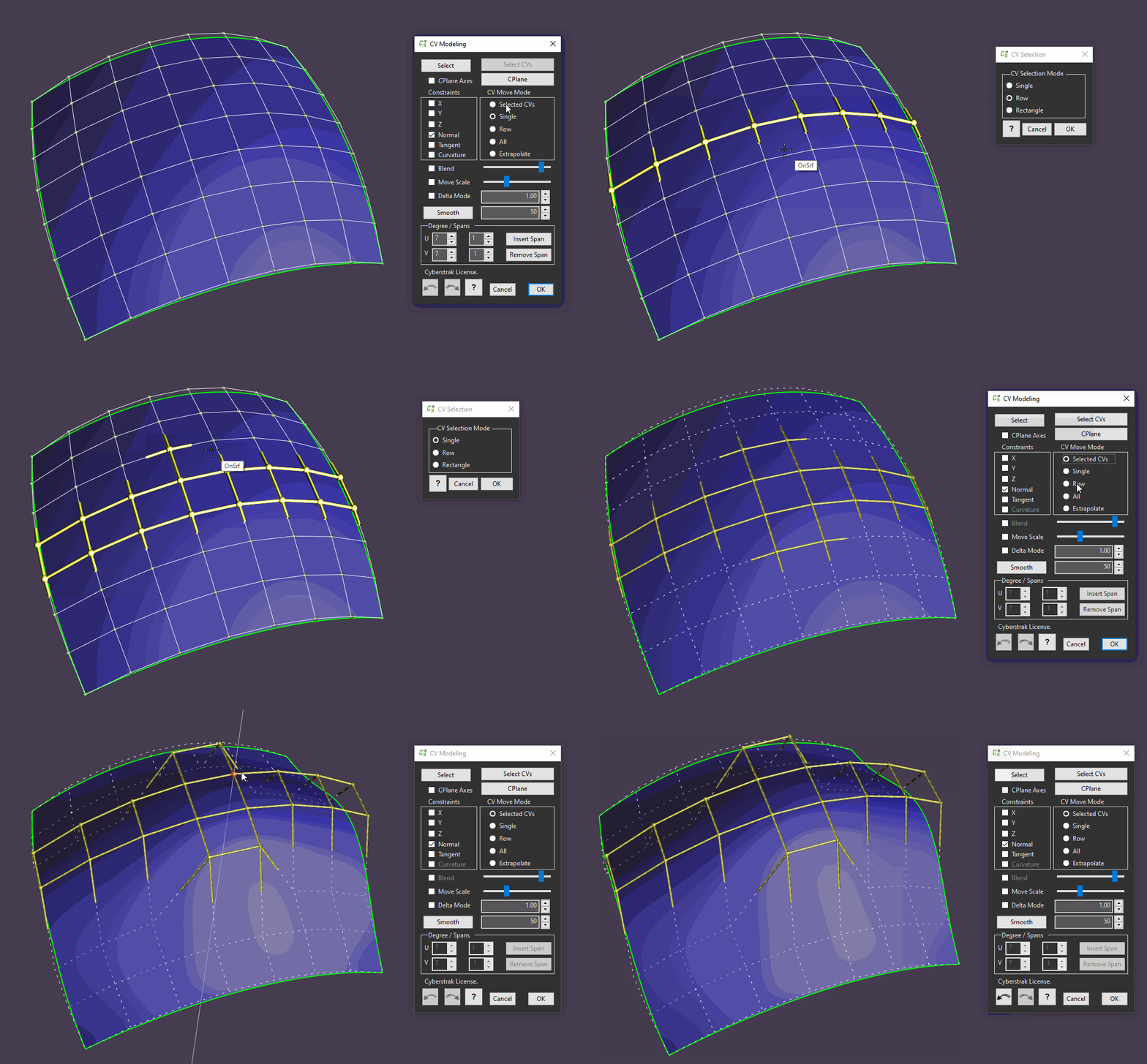
- There is a new mode "Selected CVs". Here you can restrict modeling to selected CVs, Curve Bars or CV Rows.
- The Projection Base is supported now, the selected Curve or Surface is always dynamically projected to it.
CSSketch/CSDynSketch:
- The curve sketching can now create curves projected to the selected Projection Base.
CSCrvRefit:
- This command has been enhanced by a mode to take over parametrization from a Reference Curve. Also dynamic Change of the parametrization with more weight to begin or end of the curve is possible now. An embedded Curvature Analysis is now avlaible.
CSMatch:
- There is a new mode "Keep Lengths" for Surface matching. At the moment it has only effect for Tangency matching, not really for Curvature Matching.
CSTransition:
- It is now possible to analyse the transition of a surface edge to the interior area of a reference surface.
CSDeviation:
- An "Auto Scale" button has been introduced.
- In addition it is possible to move a dynamic position handle across the selected object to investigate local deviation on any point.